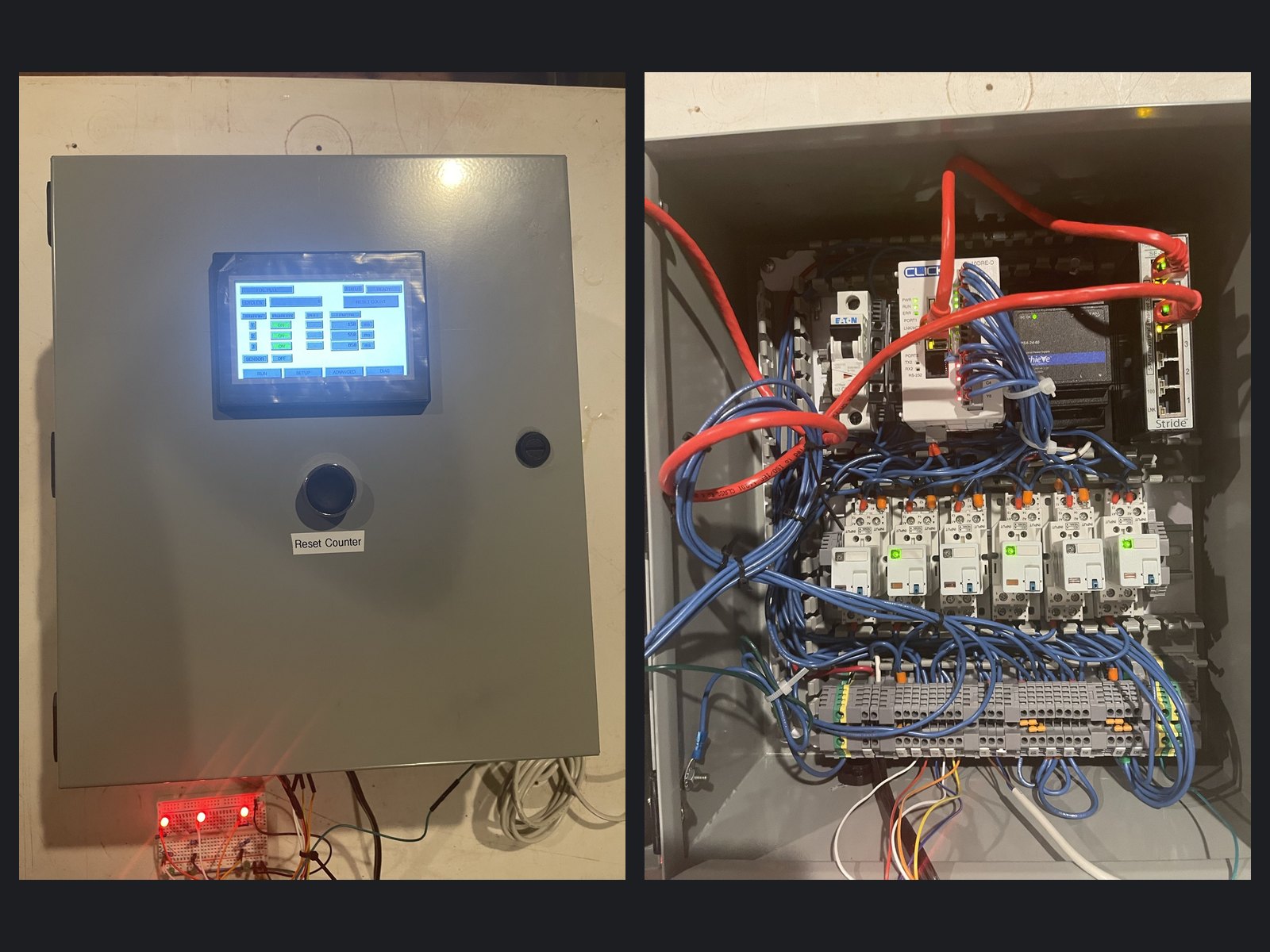
Overview
A print finishing shop's foil pull attachment on a 1990s Brausse press was running on an original Idec Micro-1 controller whose programming pendant had died. The PLC still ran, but nobody could change a pull time, and replacement parts were long out of production. I designed and built a drop-in replacement control panel around an AutomationDirect CLICK PLC and a C-more Micro touchscreen. It reproduces the machine's original sequence, and the operator can now adjust every station's timing from the screen.
The Challenge
The old controller came with no usable program listing, so the sequence had to be worked out from the machine itself. I analyzed video of the press frame by frame to recover the timing: at rest all three stations hold their brakes, and on each trigger every station releases its brake and engages its clutch for its own pull length (about 0.15, 0.55, and 0.85 seconds) before handing back. The new panel had to match that exactly, wire into the existing clutch and brake supplies on a frozen terminal plan a local electrician could follow, and fit a compact enclosure where the touchscreen's depth constrained what could mount behind it.
What I Built
- Design package first: an 18-page package with the I/O map, terminal numbering, wiring diagrams, panel and door layouts, bill of materials, and a separate electrician's sheet for installation.
- The panel: CLICK Ethernet PLC, six interposing relays with status LEDs (one clutch and one brake per station), 24 VDC supply, branch breaker and fusing, a five-port industrial Ethernet switch, and labeled terminal strips, all in a NEMA 12/4 Saginaw enclosure with ducted wiring and ferruled conductors.
- Touchscreen operator interface: Run, Setup, Advanced, and Diagnostics screens. Operators enable or disable each station, type in a new pull length in milliseconds, use Test Pull to check it, and watch a live cycle counter.
- Ladder logic: per-station pull timers, brake/clutch handoff, a station that is switched off sits out with its brake held, and settings plus the cycle count are retained through power loss.
- Fail-safe behavior: a double trigger from the sensor produces only one pull, an unplugged sensor means nothing pulls and the brakes stay on, and the PLC keeps running the machine if the touchscreen loses its connection.
- Door hardware: a Reset Counter pushbutton plus support for the shop's existing remote reset switch, and a caution label marking the circuits that stay live from the machine side.
Results
The panel passed a full bench test on the original pull times, using a sensor with a steel target standing in for the press and an LED rig standing in for each station's clutch and brake supply. Relay timing, checked against video, landed on the target numbers, and every fail-safe case behaved as designed. The shop now has a supported, off-the-shelf controller with documentation, and pull times that used to need a dead pendant to change can be set from a touchscreen.
Photos
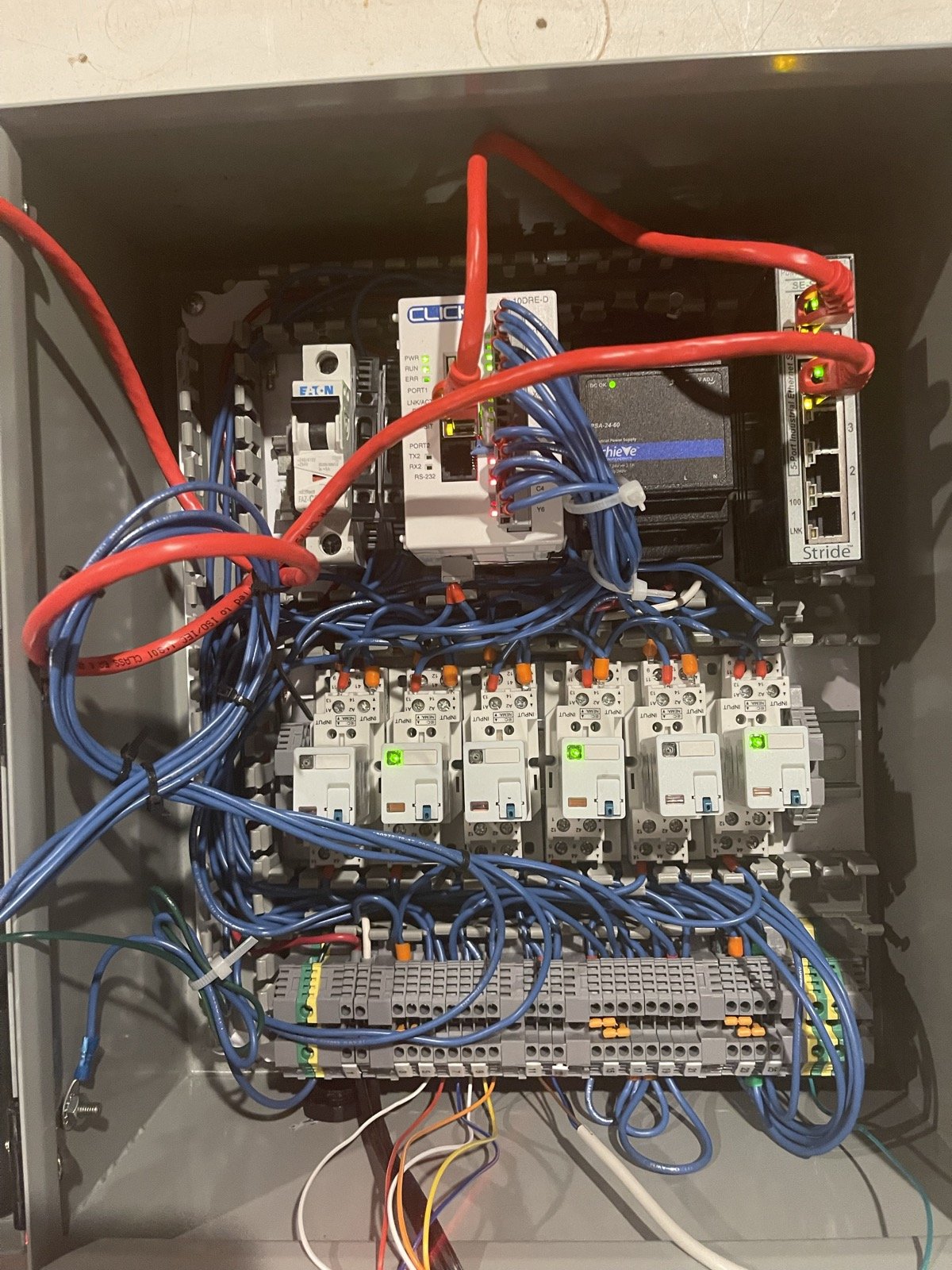
Inside the panel: PLC, Ethernet switch, power supply, and breaker on the top rail; six clutch/brake relays; field terminals below.
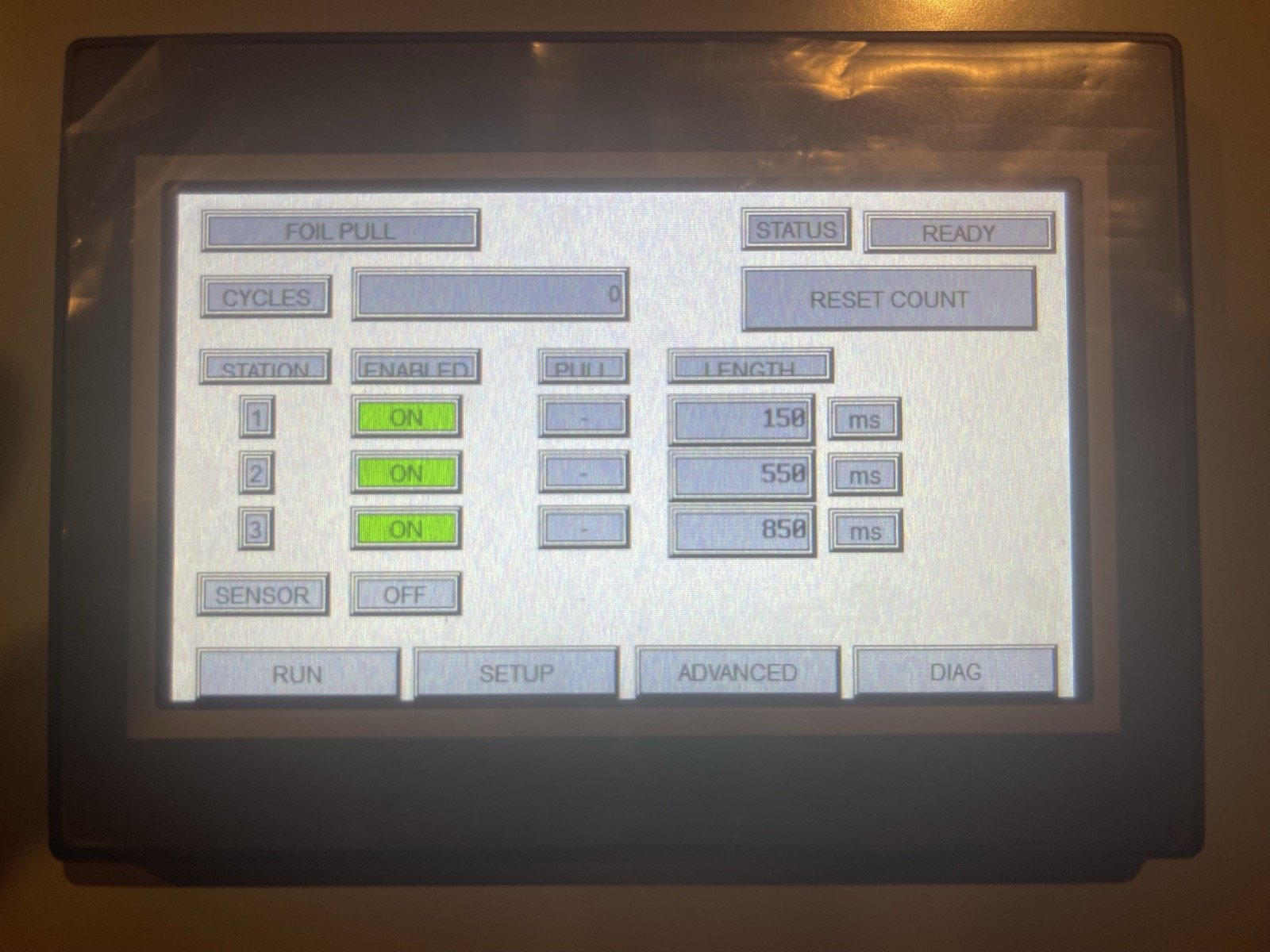
The Run screen: station enables, live pull indicators, and adjustable pull lengths.
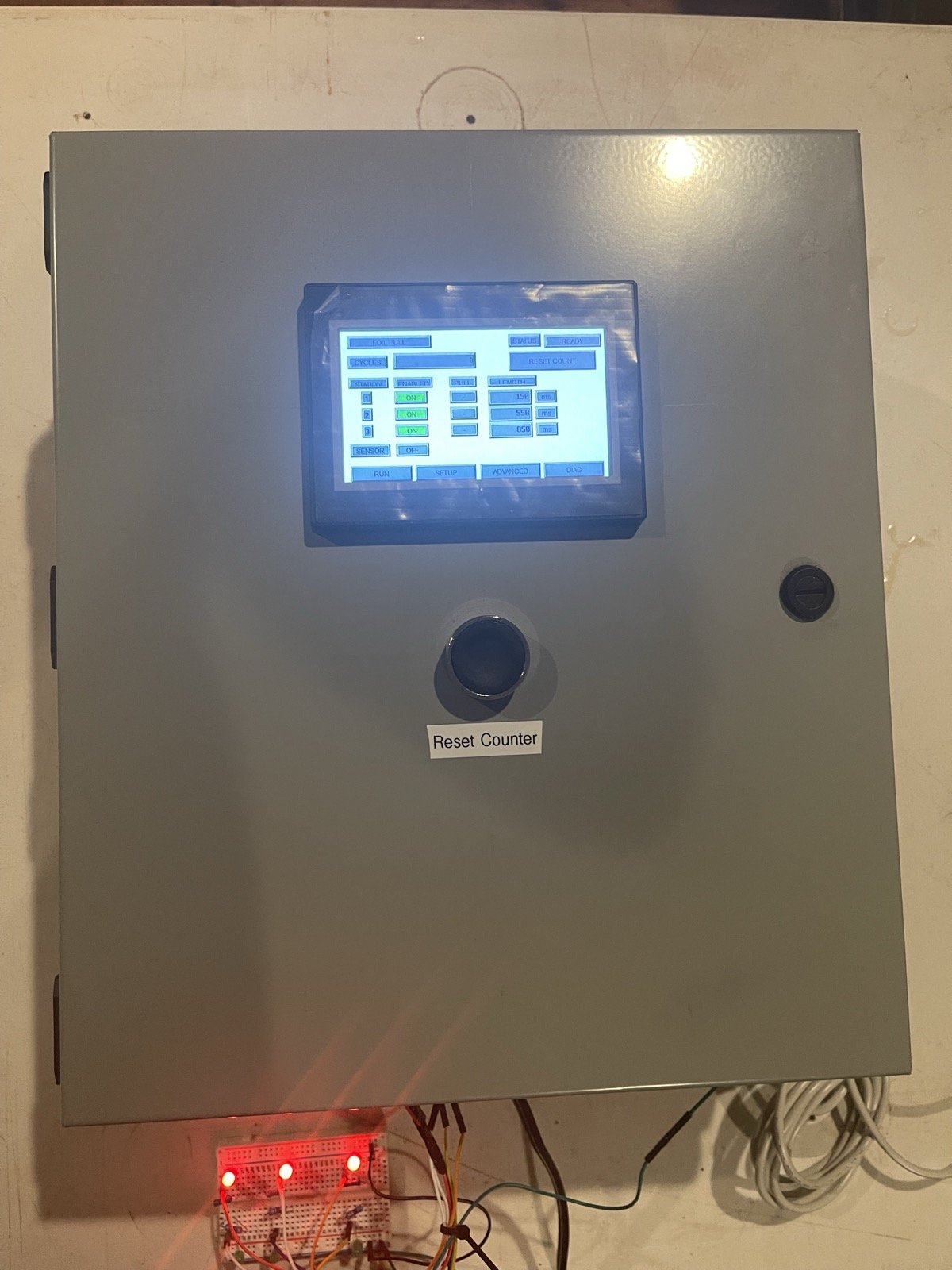
On the bench: the finished door, with the LED test rig standing in for the clutch and brake supplies.
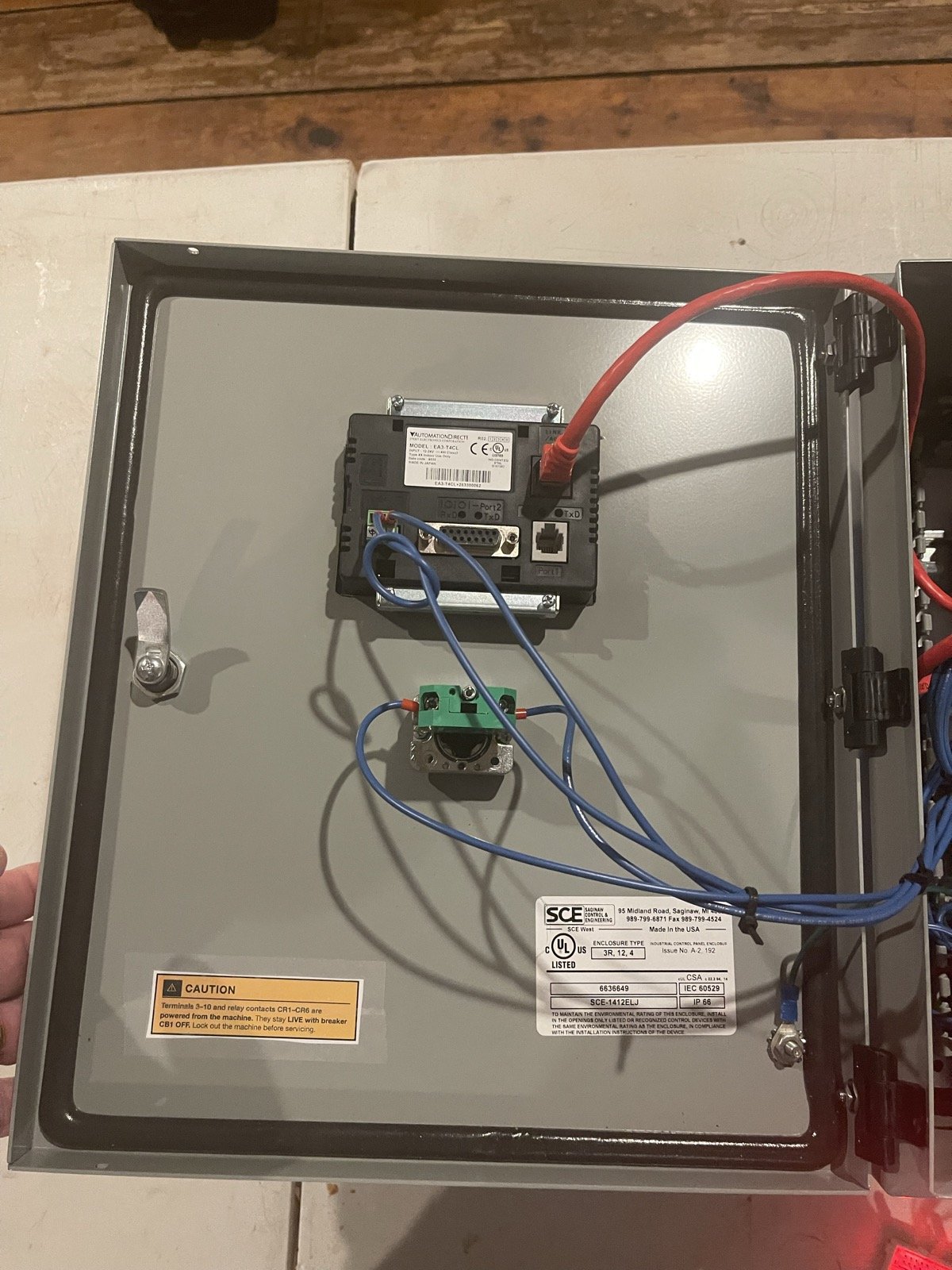
Door interior: touchscreen, pushbutton contact block, and the live-circuit caution label.
Tech Stack
AutomationDirect CLICK PLC (C0-10DRE-D) with ladder logic, C-more Micro touchscreen (EA3-T4CL), Ethernet PLC-to-HMI link, 24 VDC control, interposing relays, NEMA 12/4 enclosure, plus the design drawings and the electrician's installation sheet.